Install for VS Code
Install Analog WakaTime in Visual Studio Code, sign in, and start tracking coding activity. The whole setup usually takes a few minutes.
Requirements
- Visual Studio Code
1.80.0or newer (Cursor and other VS Code-compatible editors work the same way when the Marketplace extension is available) - Network access to Analog WakaTime
- A browser for the device-flow login
Publisher ID on the Marketplace: pablaofficeals.analog-wakatime
Method 1 — Visual Studio Marketplace (recommended)
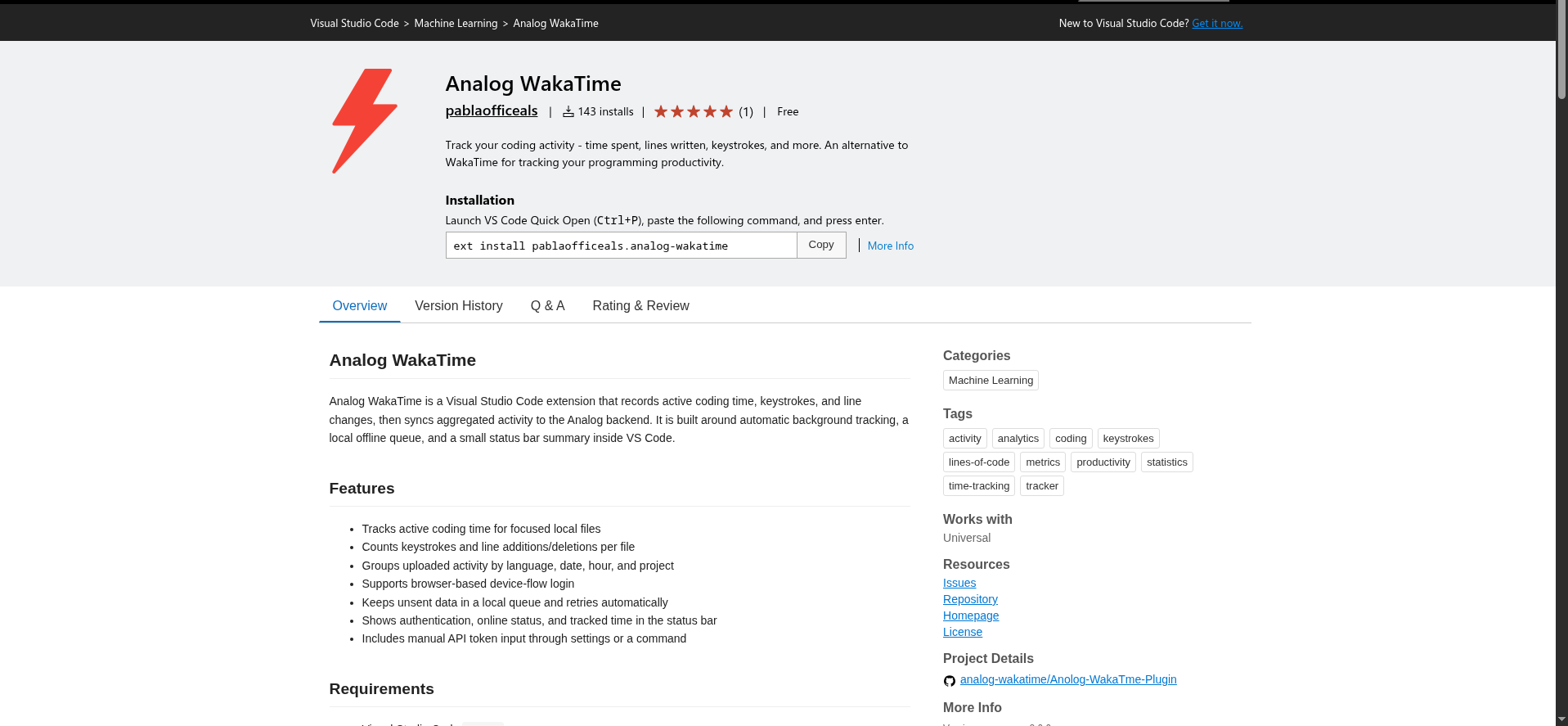
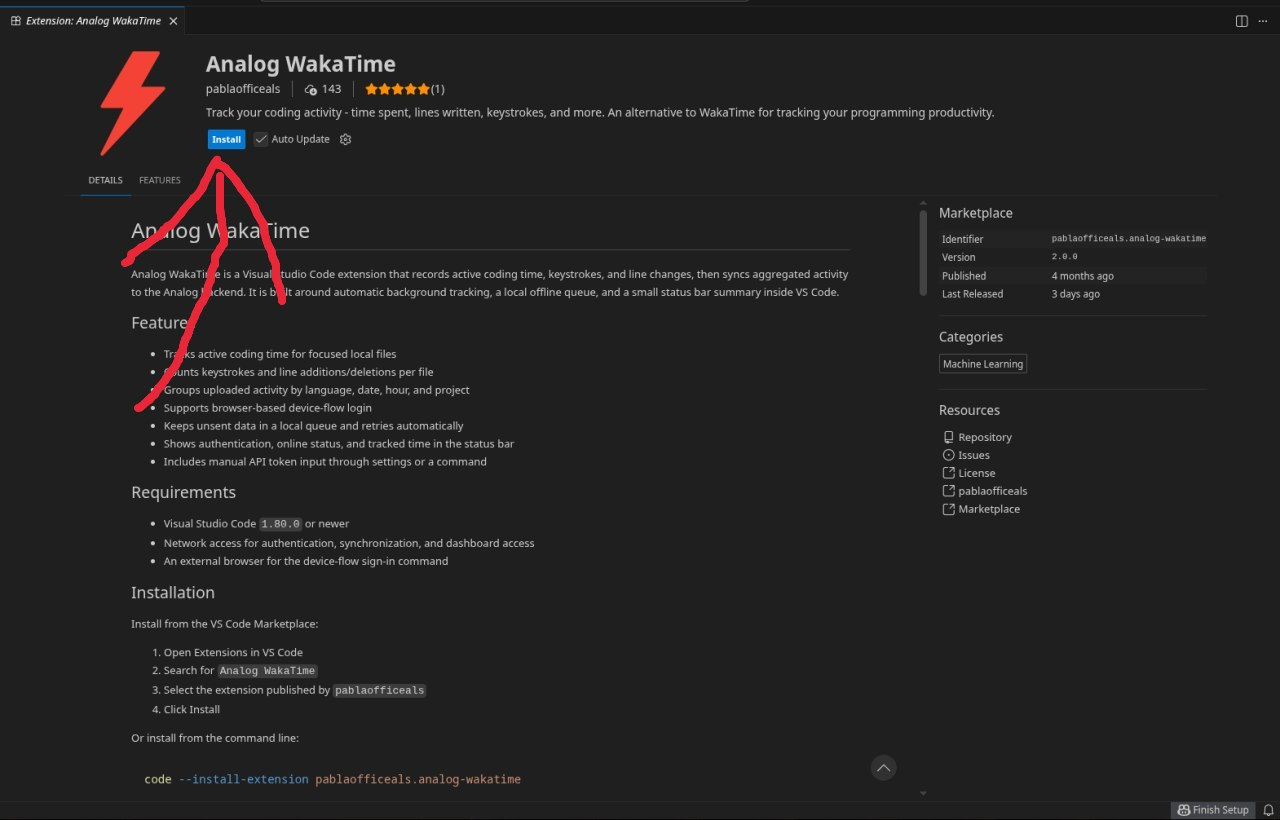
- Open the Analog WakaTime Marketplace page.
- Click Install.
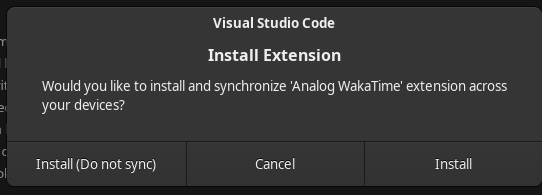
- Confirm that the browser may open Visual Studio Code.
- In VS Code, click Install again.
Method 2 — Quick Open (Ctrl+P)
- Open Visual Studio Code.
- Press Ctrl+P (macOS: Cmd+P).
- Paste:
ext install pablaofficeals.analog-wakatime
- Press Enter, select Analog WakaTime, then click Install.

From a terminal you can also run:
code --install-extension pablaofficeals.analog-wakatime
Method 3 — Extensions view
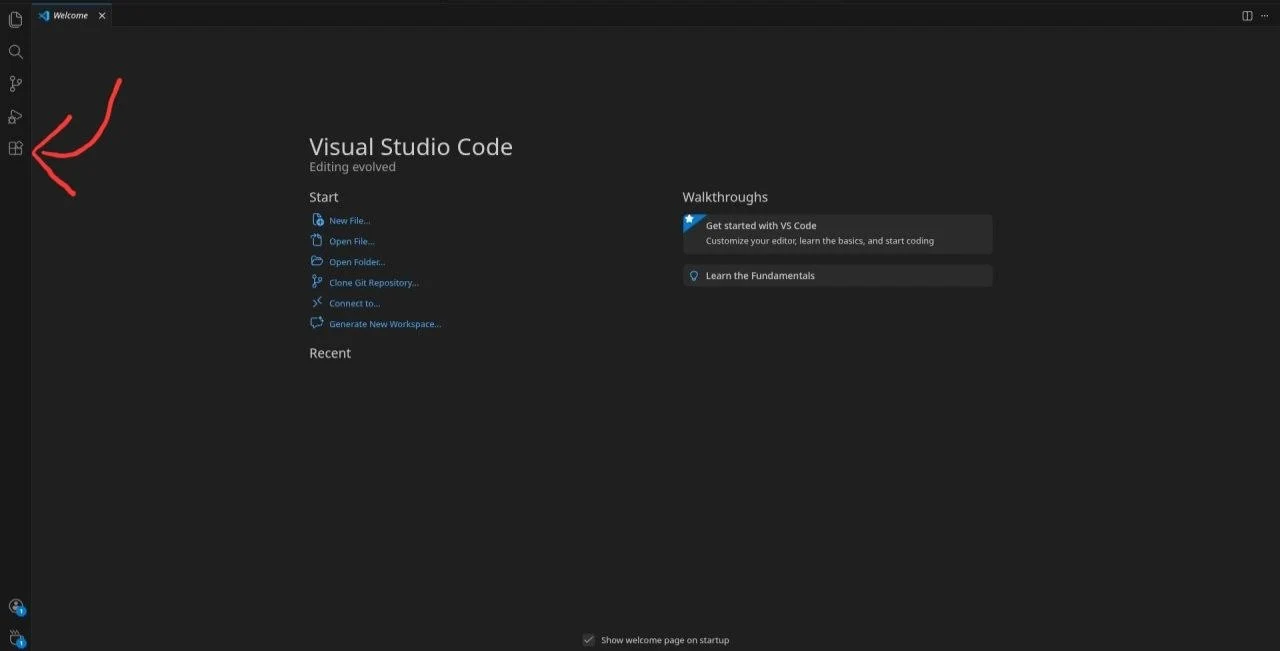
- Press Ctrl+Shift+X (macOS: Cmd+Shift+X) to open Extensions.
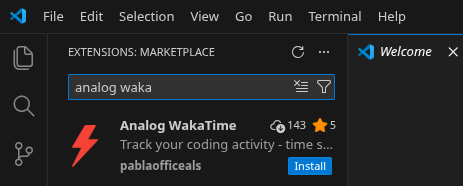
- Search for
Analog WakaTime. - Choose the extension published by pablaofficeals.
- Click Install.
Sign in
Tracking starts only after the extension is connected to your Analog WakaTime account.
Browser login (recommended)
- After install, open a local project/file.
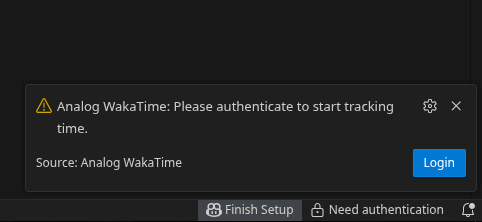
- If you are not authenticated, a notification asks you to log in — click Login.
- Or open the Command Palette (Ctrl+Shift+P) and run Analog WakaTime: Login with Browser.
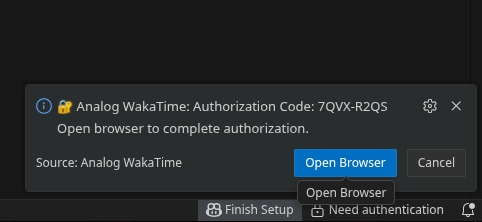
- Copy / confirm the verification code.
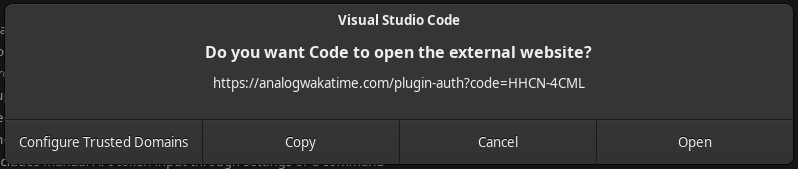
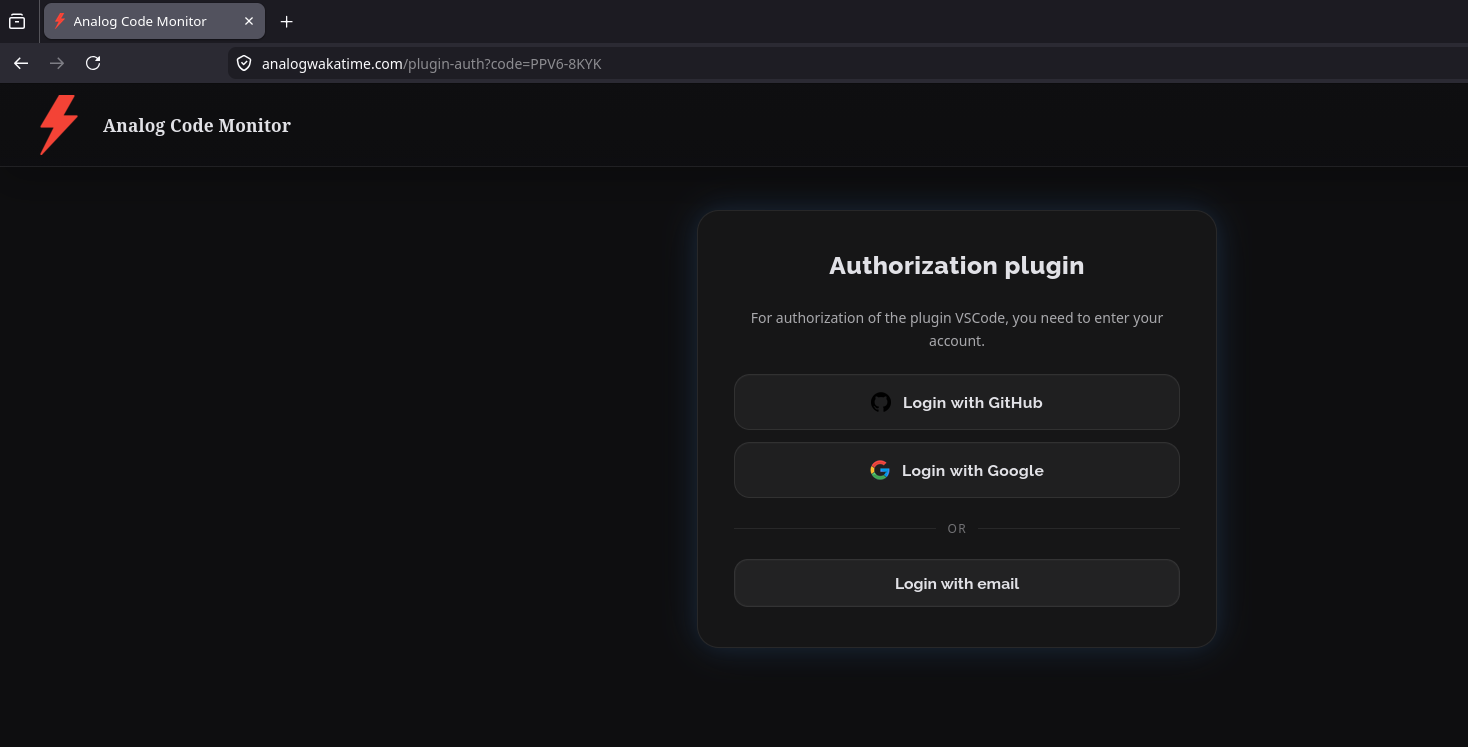
- Allow VS Code to open the authorization page in your browser.
- Sign in with GitHub, Google, or email/password.
- Return to VS Code — the session is stored and sync begins automatically.

Manual API token (optional)
- Open your Analog WakaTime profile and copy the API token.
- In VS Code run Analog WakaTime: Set API Token, or set
analogWakaTime.apiTokenin Settings.
Browser login is the preferred path.
Confirm it works
- Edit a local file while the VS Code window is focused.
- Check the status bar item for Analog WakaTime (cloud icon when online).
- Open your dashboard: analogwakatime.com/dashboard
For commands, settings, and tracking details see Extension reference.
Also using JetBrains?
The same Analog account works with JetBrains IDEs. You can run both clients at once.